| Megaton-LM Training Large Models Practical Guide | 1 - Data Preprocess |
Published:

This blog is also available in Chinese version: https://zhuanlan.zhihu.com/p/1969095407163389861
Megaton-LM Training Large Models Practical Guide | 1 - Data Preprocess
You cannot cook without rice: training large models without data is like trying to cook without rice (yes, the pun is intended). Of course, to cook this “meal” well you need more than rice—your stove (GPUs), cookware (training framework), chef (engineers), rice (data), seasonings (optimization techniques), and so on. When it comes to data, beyond carefully selecting and curating it, you also need proper preprocessing so the training pipeline can run smoothly. This is an engineering problem, but from a hands-on large-model training perspective, it is extremely important.
This post focuses on data preprocessing under the Megatron-LM training framework: how the data is packaged into a trainable format from the code’s perspective, plus a set of data-management practices that I personally found reasonably efficient while using Megatron-LM.
Supported Data Formats in Megatron-LM
Although Megatron-LM also includes code for multimodal pretraining, plain-text pretraining is still its core use case, so this post only discusses text data. Megatron-LM can also process multimodal datasets, such as image data (see https://github.com/NVIDIA/Megatron-LM/tree/main/megatron/core/datasets/multimodal_dataset.py), but I will not expand on that here.
After collecting text data, you typically need substantial cleaning, deduplication, filtering, and mixing. But from an engineering standpoint, the output of these pipelines is still just a normal text file. The simplest form is txt, and more expressive formats include jsonl and parquet, which can store metadata.
Different formats have different trade-offs. For example, in post-training (instruction tuning), you often need to attach instructions to each sample, so you need extra metadata fields—json/jsonl are common choices:
{
  "instruction": "Translate: Hello world",
  "input": "",
  "output": "Hello world"
}
Or:
{"messages": [{"role": "user", "content": "Hi"}, {"role": "assistant", "content": "Hi! How can I help?"}]}
For pretraining, the task is next-token prediction, so in many cases pure text is sufficient (though metadata can still be useful for cleaning and deduplication). Megatron-LM’s README also gives a JSONL metadata example like:
{"src": "www.nvidia.com", "text": "The quick brown fox", "type": "Eng", "id": "0", "title": "First Part"}
{"src": "The Internet", "text": "jumps over the lazy dog", "type": "Eng", "id": "42", "title": "Second Part"}
So in practice, following a normal data-cleaning workflow and producing txt, jsonl, or parquet source text is usually enough. The main caveat is scale: if the dataset is extremely large (e.g., trillions of tokens), storing too much metadata can balloon disk usage. That is a purely engineering constraint—you may consider storing only the cleaned text field in the final output.
Megatron-LM Data Preprocessing
During pretraining, the program must convert text into program-readable data objects so the model can consume the data correctly. For small-scale validation, you can load text directly with Python libraries (e.g., dataset/json tooling). But as the dataset scales up, you typically need preprocessing to keep disk and memory access efficient.
Megatron-LM’s preprocessing is effectively a two-step pipeline.
Step 1: Tokenize Text into an IndexedDataset
The first step is mandatory: encode (tokenize) the text into binary data that the training code can read efficiently. This binary data becomes Megatron-LM’s IndexedDataset, the lowest-level dataset type in the codebase.
IndexedDataset is a class used to read binary-formatted datasets. It stores all token IDs in a .bin file, and stores per-sample start/stop positions (indices) in a .idx file (both are binary). You can think of it like a book: the content is in the body (.bin), and the table of contents is the index (.idx). With the index, the loader can jump directly to “record n” in the .bin file without loading the entire dataset into memory. For example, the .idx may say that some sample starts at offset 120 with length 98, and the program can read exactly that range from the .bin file.
Megatron-LM provides an official preprocessing script for producing these indexed binaries (see Megatron-LM/tools/preprocess_data.py). Their README also includes a simple preprocessing command. One important caveat is that because the binary stream is the post-tokenization result, you must decide the tokenizer at this step. If you later change the tokenizer, you must rerun this preprocessing step and regenerate the binary files.
Also note: while the script is often demonstrated for JSON/JSONL inputs, the logic is essentially the same for txt and parquet. Only the “read raw text” part differs; it is usually easy to modify.
Step 2: Build Training-Config-Dependent Index Sequences (Index Cache)
The second step builds index sequences that depend on your training configuration. The .idx file helps you fetch tokenized documents from the .bin file, but training needs additional indices that reflect settings such as:
- How train/valid/test are split
- Shuffled document ordering under a given random seed
- The total number of samples to train on (not necessarily equal to dataset size; you can set it to a multiple to simulate $\text{epochs}=n$)
- Mixing weights across multiple datasets
This step is performed by Megatron-LM itself. After it finishes, it will generate a set of .npy index files with unique hash-based names. Internally, it traverses the dataset(s), computes the split/shuffle/sample index sequences, and saves them under an index_cache folder (typically including three indices: doc_idx, sample_idx, and shuffle_idx, plus a .dsc text descriptor file).
In simple experiments, you can just run training normally. If Megatron-LM does not detect cached .npy indices, it will build them automatically and cache them for next time. However, if the dataset is very large or IO is slow, building these indices can be time-consuming. Since only one GPU (usually node 0, rank 0) builds the cache while the rest wait, multi-node multi-GPU training can waste a lot of GPU time and can even trigger NCCL timeouts if the wait is too long. Therefore, when training data is large, I recommend manually prebuilding the index cache ahead of time.
Megatron-LM’s Three-Layer Dataset Abstraction
1) Lowest Layer: Sequence Dataset (IndexedDataset)
IndexedDataset is the lowest-level data interface in Megatron. An IndexedDataset instance references two binary files:
- Data file (
.bin): stores the actual content of documents/sequences - Index file (
.idx): stores per-document/per-sequence metadata
The .idx also stores dataset-level metadata (e.g., total file size, number of sequences, a numeric dtype identifier, index version, etc.). It then stores document-level and sequence-level metadata in order, including:
- The number of elements (tokens) per sequence (in order)
- The byte offset of each sequence in the
.binfile (in order) - For each document, the contiguous range of sequence indices it contains (half-open interval
[...), in order) - The modality type per sequence (used for multimodal), in order
One important constraint: Megatron-LM assumes that if you want to build any higher-level dataset, the IndexedDataset must already exist on disk. This corresponds to Step 1 being mandatory.
2) Middle Layer: Megatron Datasets (MegatronDataset, e.g., GPTDataset)
This layer corresponds to the basic trainable dataset classes in the codebase, such as:
MockDataset(for infrastructure validation)GPTDataset(classic text dataset for GPT-style training)- multimodal dataset configs (e.g.,
MultimodalDatasetConfig)
This post focuses on the text dataset class GPTDataset.
GPTDataset is the core dataset class used to load GPT training data in Megatron. It is defined by several key parameters:
indexed_dataset: anIndexedDatasetinstance, the lowest-level reader for token dataindexed_indices: a contiguous list of document (or sequence) indices defining the subset used for train/valid/testN: the total number of samples to generateS: the target sequence length (number of tokens) per sampleR: a random seed controlling shuffling for reproducibility
To efficiently extract fixed-length samples from variable-length documents, GPTDataset builds three auxiliary indices (the ones cached in Step 2):
- Document index (
Do_idx) - Sample index (
Sa_idx) - Shuffle index (
Sh_idx)
Document index (Do_idx)
Do_idx is a 1D array listing which documents will be used to generate samples. Its length is $E \times \lvert\text{indexed_indices}\rvert$, where $E$ is the smallest integer such that $E \times \lvert\text{indexed_indices}\rvert \ge N$. After construction, the array is shuffled using seed $R$.
Example:
- If $N=15$ and
indexed_indices = [5, 6, 7, 8, 9](5 documents), then $E=3$ because $3\times 5 = 15 \ge 15$. You can think of $E$ as the effective number of epochs.
After shuffling, Do_idx might look like:
Do_idx = [8, 8, 9, 6, 7, 5, 8, 5, 6, 6, 5, 9, 7, 7, 9]
This means sample 0 reads from document 8, sample 1 also starts from document 8, sample 2 starts from document 9, and so on.
Sample index (Sa_idx)
Sa_idx is a 2D array of shape [N + 1, 2], describing the boundaries of each sample in terms of document positions. Each row j stores a tuple (i, offset), meaning the j-th boundary lies in the i-th document in Do_idx, at token (or byte) offset offset within that document.
Sa_idx[j] and Sa_idx[j+1] together define the data span for sample j. Because documents have different lengths, one sample may come entirely from one document, or it may span multiple documents. This boundary-based indexing becomes especially important for long-context training where sequence_length is very large.
Example with $S=1024$:
Sa_idx[0] = (0, 0)      -> start at token 0 of Do_idx[0]
Sa_idx[1] = (0, 1024)   -> sample 0 consumes 1024 tokens from Do_idx[0]
Sa_idx[2] = (1, 512)    -> sample 1 spans Do_idx[0] tail + Do_idx[1] head
Sa_idx[3] = (2, 0)      -> sample 2 starts at Do_idx[2]
Sa_idx[4] = (5, 300)    -> several short docs may be concatenated
Sa_idx[5] = (6, 24)     -> sample 4 ends at token 24 of Do_idx[6]
Shuffle index (Sh_idx)
Sh_idx is a 1D array of length N used to shuffle sample order during training. It maps the logical sample position k (0, 1, 2, …) to the actual boundary index j in Sa_idx. This shuffling is also controlled by seed $R$ for reproducibility.
For example, when $N=10$:
Sh_idx = [4, 0, 2, 6, 1, 9, 5, 8, 7, 3]
This means: the first sample to be read is originally sample 4, the second is originally sample 0, and so on.
To read the $k$-th sample under this shuffled order:
j = Sh_idx[k]
i, offset = Sa_idx[j]
i_next, offset_next = Sa_idx[j + 1]

sample = []

# Take from the start document, from offset to end.
sample += indexed_dataset[Do_idx[i]][offset:]

# If multiple full documents are crossed, append them.
if i != i_next:
    for doc_pos in range(i + 1, i_next):
        sample += indexed_dataset[Do_idx[doc_pos]]

# Finally take the prefix from the end document.
sample += indexed_dataset[Do_idx[i_next]][:offset_next]
In the end, sample is a token list of length exactly $S$, ready to feed into the model.
As mentioned above, building these indices (especially Sa_idx) can be expensive. Megatron-LM therefore builds and caches them (typically on the first GPU) and other processes load the cached files to avoid duplicate work. Each cache file name is derived from a unique hash computed in MegatronDataset.__init__, ensuring that different configurations (e.g., different N, S, indexed_indices, or R) do not accidentally share the same cache.
3) Highest Layer: Blended Dataset (BlendedDataset)
Training on a single bin+idx dataset via GPTDataset is straightforward but not very interesting. In practice, you often blend many smaller datasets to build a richer corpus. That is what Megatron’s BlendedDataset is for.
BlendedDataset mixes multiple GPTDataset instances (or other MegatronDataset types) into one unified training data source. It is defined by:
D: a list ofMegatronDatasetinstances (e.g.,[d0, d1, d2])W: sampling weights for each dataset inD(e.g.,[1/2, 1/4, 1/4])S: the target total number of samples in the blended dataset
BlendedDataset draws samples from the component datasets according to weights W until it reaches S total samples. To match the target ratio as closely as possible, it uses a “largest sampling error first” strategy: at each step, it picks the dataset whose current sampled proportion deviates most from its target.
To make access efficient, BlendedDataset builds two auxiliary indices:
- Dataset index (
Da_idx) - Within-dataset sample index (
Sa_idx)
Dataset index (Da_idx)
Da_idx is a 1D array of length S. Da_idx[i] indicates which dataset in D the i-th blended sample comes from.
Example:
D = [d0, d1, d2]
W = [1/2, 1/4, 1/4]
S = 4

Da_idx = [0, 1, 2, 0]
This means samples 0 and 3 come from d0, sample 1 from d1, and sample 2 from d2—roughly matching a 2:1:1 ratio.
Within-dataset sample index (Sa_idx)
This is also a 1D array of length S. Sa_idx[i] indicates the sample ID within dataset D[Da_idx[i]].
Continuing the example above, if Da_idx = [0, 1, 2, 0], one possible Sa_idx is:
Sa_idx = [0, 0, 0, 1]
Meaning:
- The 0-th blended sample is sample 0 from
d0 - The 1-st blended sample is sample 0 from
d1 - The 2-nd blended sample is sample 0 from
d2 - The 3-rd blended sample is sample 1 from
d0
Then retrieving the $k$-th blended sample is simply:
sample = D[Da_idx[k]][Sa_idx[k]]
Just like GPTDataset, building these blended indices can be non-trivial. Megatron-LM typically builds and caches them once (on the first GPU), and other processes load the cache. Cache filenames are derived from a unique hash computed in BlendedDataset.__init__, incorporating D, W, S, etc., so different blending configurations do not get mixed up.
Efficient Data Management Strategies for Large-Scale Megatron-LM Training
In large-scale LLM pretraining, data loading is often a major performance bottleneck.
- When the dataset reaches trillions of tokens (e.g., 1T–10T tokens), disk storage becomes a serious concern, and IO between your program and the data becomes critical.
- In multi-node multi-GPU settings, different machines need to access the same dataset to keep training correct. This forces a choice between keeping multiple local copies versus using a shared file system. The goal is to minimize data-access overhead to maximize cluster utilization.
Storage: shard the dataset
An effective strategy is to shard data:
- Avoid extremely large single files. A common practice is to keep a single
.binunder ~512GB to make parallel reads and recovery easier. - Blending multiple data sources naturally creates shards. You can shard by source/type (e.g.,
common_crawl_0001.bin,wiki_0001.bin), which also makes it easier to adjustBlendedDatasetweights.
Shared file systems and index localization
Megatron-LM encourages using a shared file system (SFS: Shared File System), meaning all GPUs in the cluster can access a common path (often via a remote file system or mount). This matters for index-cache building: Megatron-LM will typically build index caches once on the first GPU and then have other ranks load the cache files, which requires that all processes can see the same cache path.
If you do not have an SFS, you must manually copy the raw datasets and the prebuilt index caches to each machine; otherwise training will fail.
In some clusters, an SFS exists but has very low IO bandwidth. In that case, an effective engineering trick is to localize frequently-accessed index files: copy the .idx files onto each machine’s local SSD while keeping the large .bin files on shared storage.
Prebuilding index caches in multi-node training
For multi-node training at scale, prebuilding index caches is usually a must. Since cache filenames are hash-based, you must ensure consistent parameters across all nodes to avoid hash mismatches. (Older Megatron versions were more error-prone here; newer versions have more stable hash dependencies.)
Whenever you change the tokenizer, add new datasets/sub-datasets, change the total training sample count, or adjust mixing weights, you will need to rebuild the relevant caches and synchronize them across nodes (or rely on SFS).
A note on “all nodes see all data”
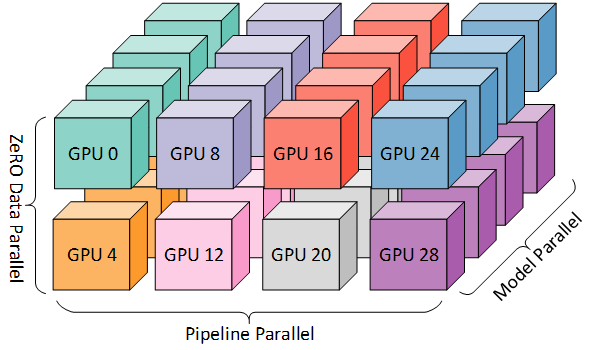
In practice, not every node truly needs to see the exact same data. Even in data parallelism, data is partitioned across workers. In very large pipeline-parallel setups, some pipeline stages (middle stages) do not directly read raw data—they consume activations produced by earlier stages.
Megatron’s design still effectively assumes all nodes can access the same pretraining data and its cached indices. This is a heavy design, and Megatron does not provide a “streaming” dataloader (read-on-demand in a streaming fashion). If you do not have a high-performance shared file system (e.g., DeepSeek’s open-sourced 3FS), you must be careful about file placement and replication across nodes (and remember: you also need disk space for checkpoints). I will analyze checkpoint-storage engineering in a future post.
Summary
Large-model development is hard, and large-scale data training is an important but tedious engineering challenge. I hope this practical summary from my own experience is helpful, and I welcome discussion and comments. This Megaton-LM practical guide series will continue to be updated—stay tuned.
References
- NVIDIA/Megatron-LM: Ongoing research training transformer models at scale
- https://docs.nvidia.com/megatron-core/developer-guide/latest/api-guide/datasets.html
- deepseek-ai/3FS: A high-performance distributed file system designed to address the challenges of AI training and inference workloads.